Free tool · Photoshop · After Effects · Web
Keep your design out from under the UI.
Social Media Safe Area Tool overlays your image or video with the Reels, TikTok, Shorts, Story and YouTube interfaces. At a glance you see whether your headline, logo, product or button sits under the like buttons, the caption or the profile grid crop. The interface is in Turkish.
- Free
- No sign-up
- Files stay on your computer
- Mac & Windows
In short
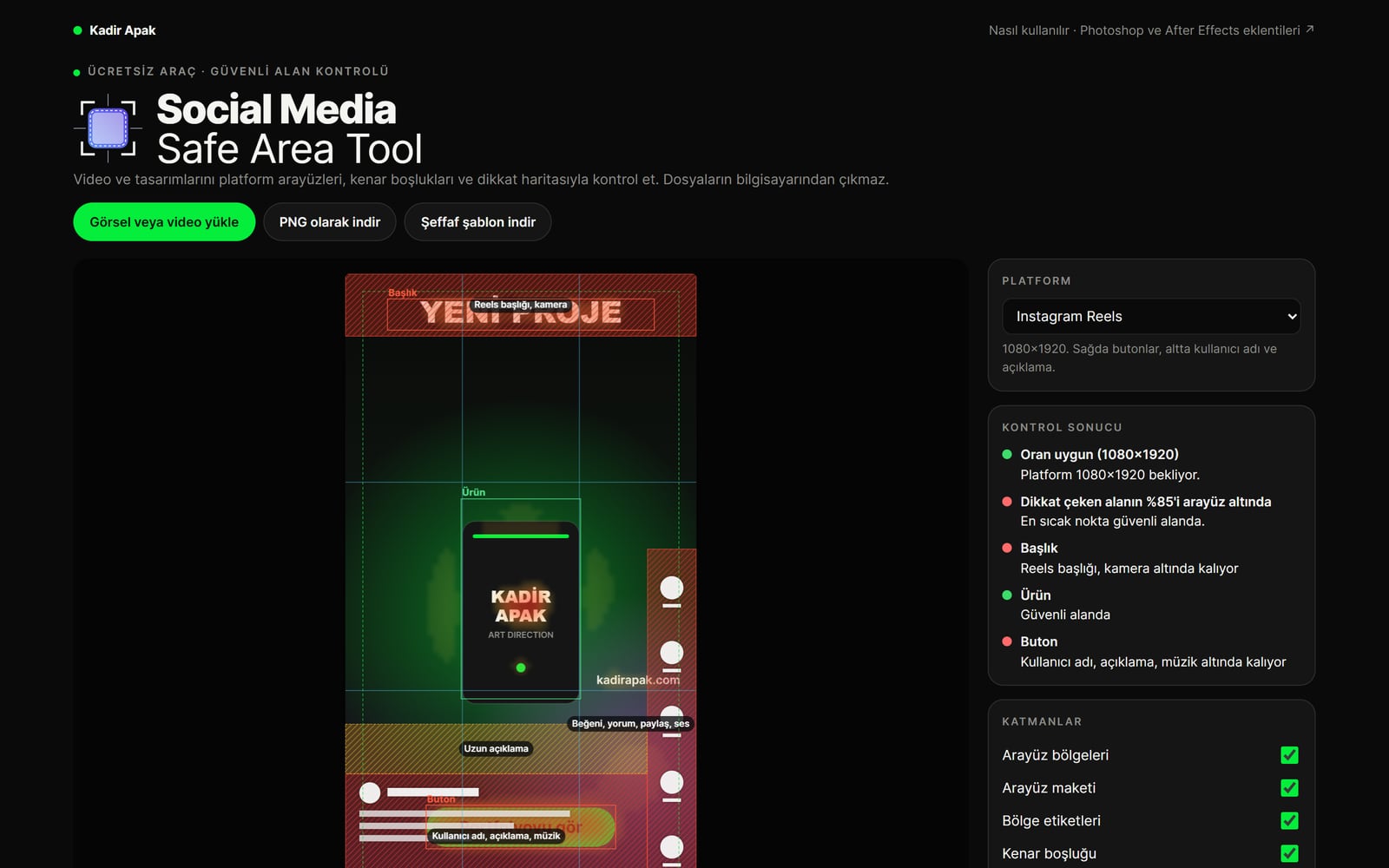
Social Media Safe Area Tool is a free tool that shows the parts of social media and video designs hidden by app interfaces. It comes in three versions: a web tool, a Photoshop plugin (UXP) and an After Effects panel (CEP). It draws the interface zones, margins, grids and an estimated attention map for Instagram Reels, Story, Reels cover, profile grid 3:4, 4:5 and 1:1 posts, TikTok, YouTube Shorts, YouTube 16:9, thumbnails and TV 16:9, and lists whether key elements fall under the interface. It never adds layers to your document. The plugins install by drag and drop with aescripts ZXP/UXP Installer.
- What it does
- Shows headlines, logos, products and buttons hidden by the UI
- Versions
- Web tool · Photoshop 2.5.1 · After Effects 2.4.1
- Formats
- Reels, Story, TikTok, Shorts, profile grid, 4:5, 1:1, YouTube, TV
- Requires
- Photoshop 2023+ · After Effects 2021+ · or just a browser
- Install
- Drag and drop with aescripts ZXP/UXP Installer (free)
- Price
- Free, no sign-up
- Made by
- Kadir Apak (Istanbul)
Why
The best headline is useless under the like button.
On vertical video, like, comment and share buttons cover the right side, while username, caption and music info cover the bottom. Every platform is different: TikTok’s right column is taller than Reels’, Stories have a profile bar on top, and a Reels cover is cropped to 3:4 in the profile grid.
As designers we often notice after publishing: the campaign headline under the caption, the CTA behind the username, the logo cropped. Placing template PNGs on top by hand is slow and rarely matches the current interfaces.
Social Media Safe Area Tool runs the check where you work: it shows the current frame of your Photoshop document or After Effects composition in a panel, draws the interface over it and names the layer causing trouble. It adds nothing to your document.
Three versions
Check where you work.
All three use the same measurements and checks. The web tool for a quick look, the Photoshop or After Effects panel during production.
Web tool
Drag in an image or video; nothing to install. Your file never leaves your computer.
- Images and video (scan the whole video)
- Profile grid preview
- Download PNG and transparent template
Photoshop plugin
Shows the live document in a panel and lists layers that fall under the interface.
- Photoshop 2023 (24.2) and later
- Click a layer to select it
- Adds no layers to your document
After Effects panel
Reads the current frame and layer positions; scans the whole duration to find problem moments.
- After Effects 2021 (18.0) and later
- Layer boxes including parents and transforms
- Scan the whole duration
How to use
Check in 4 steps.
In the web tool you load your file; in Photoshop and After Effects the panel reads the open document. The rest is the same.
- 01
Pick a platform
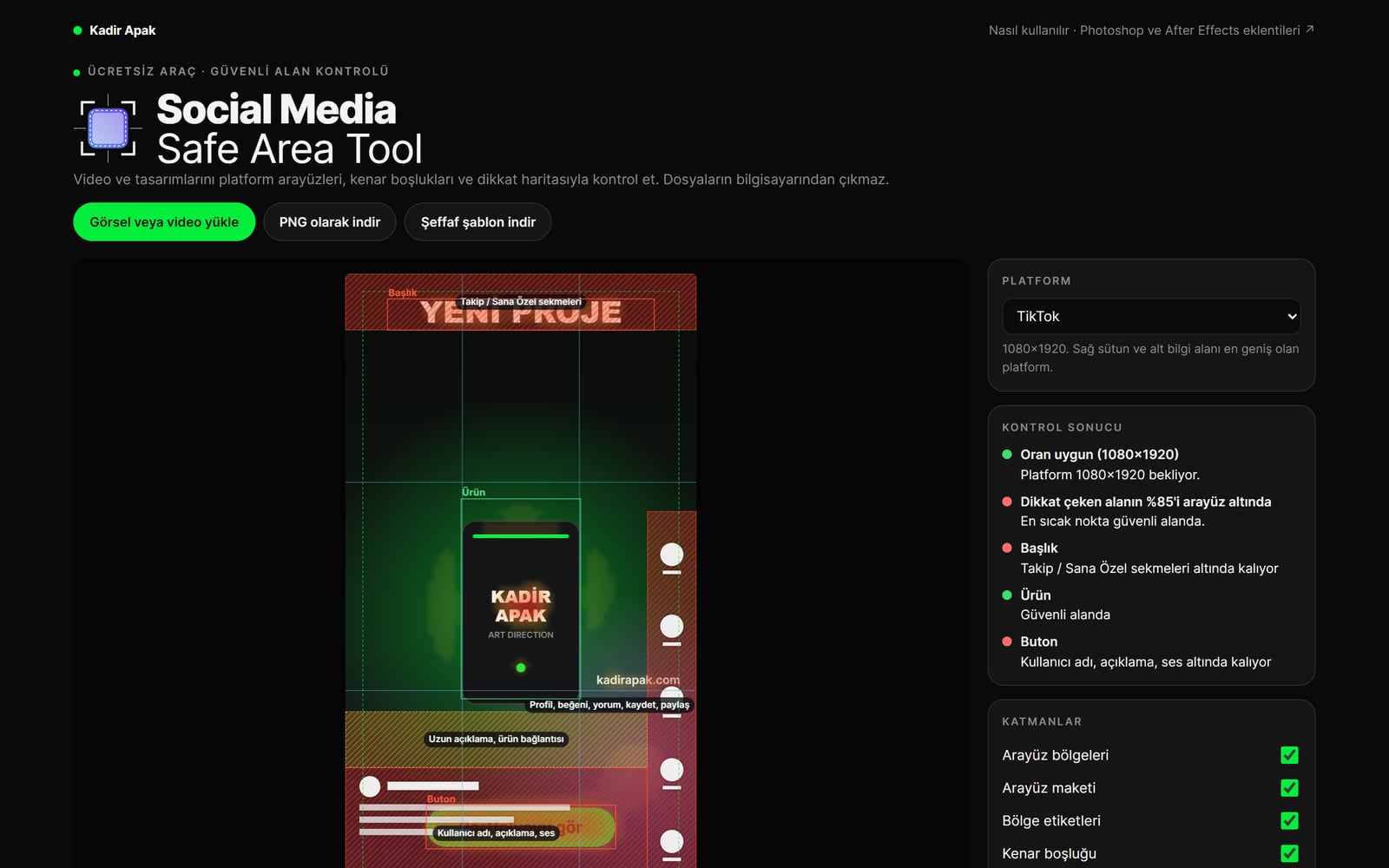
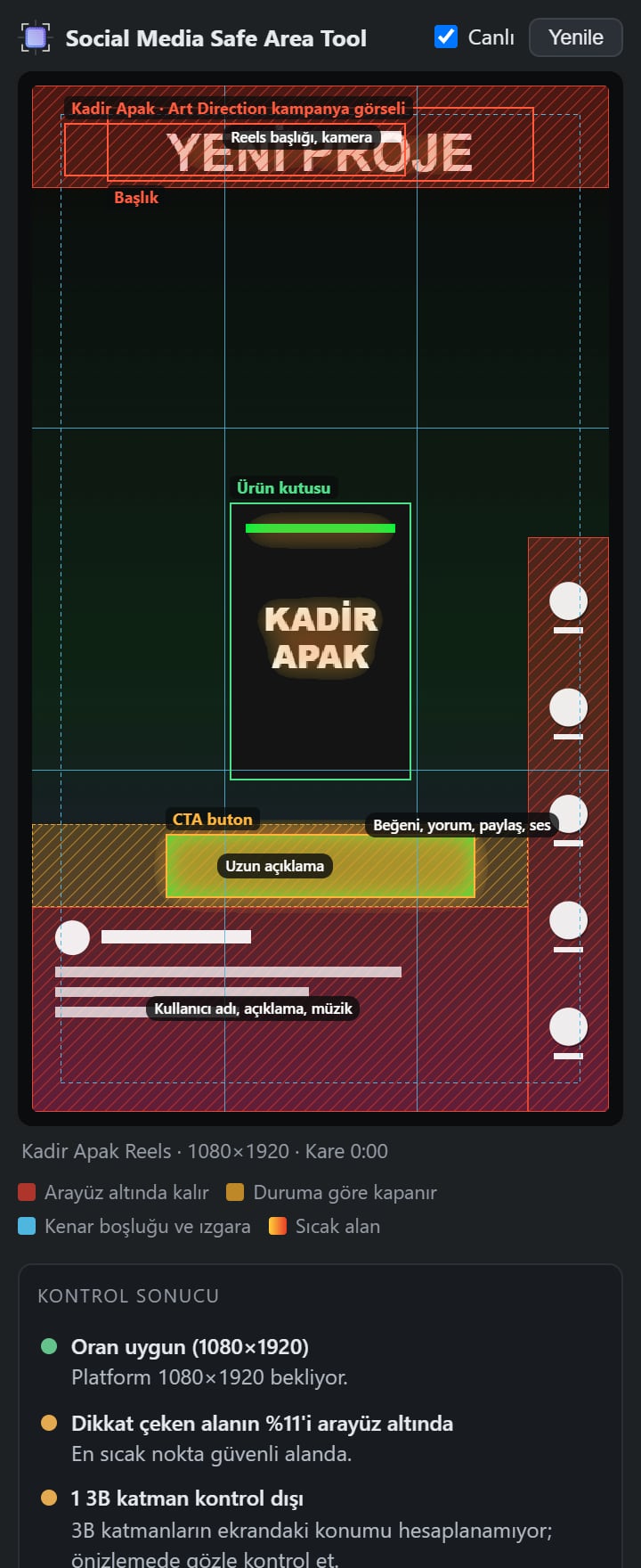
Choose Reels, TikTok, Shorts, Story or another format. Interface zones, a UI mock-up and margins are drawn over the frame. Red areas are covered by the interface, yellow ones depending on context (long captions, link stickers).
- 02
Read the result
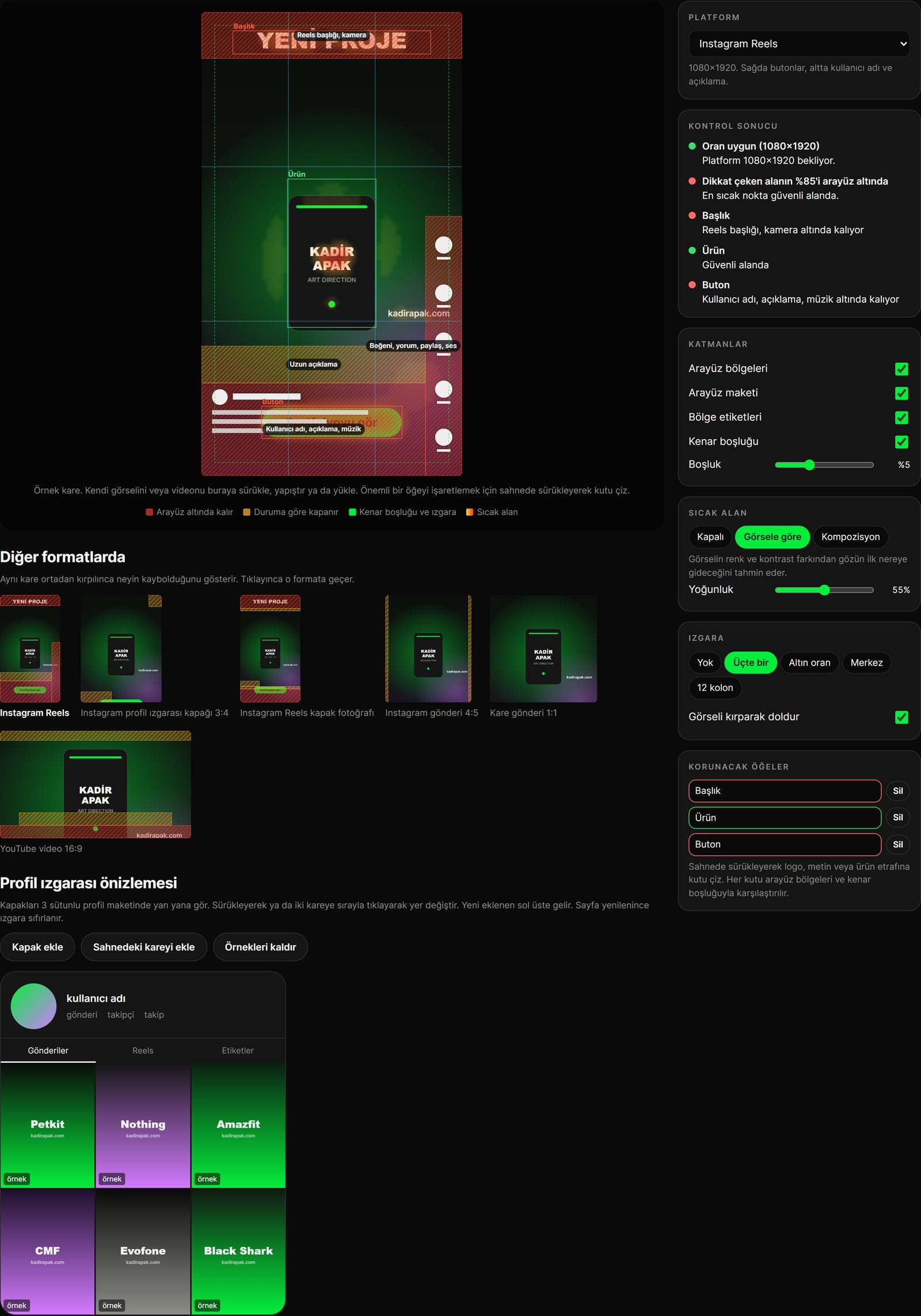
The list on the right tells you whether the aspect ratio is right, how much of the attention area is under the interface and the status of every key element. The heatmap estimates where the eye goes first.
- 03
Mark key elements
In the web tool, drag on the stage to draw a box around a logo, headline, product or button. In Photoshop and After Effects, layers are read as boxes automatically and those under the interface are listed by name.
- 04
Check other formats, download
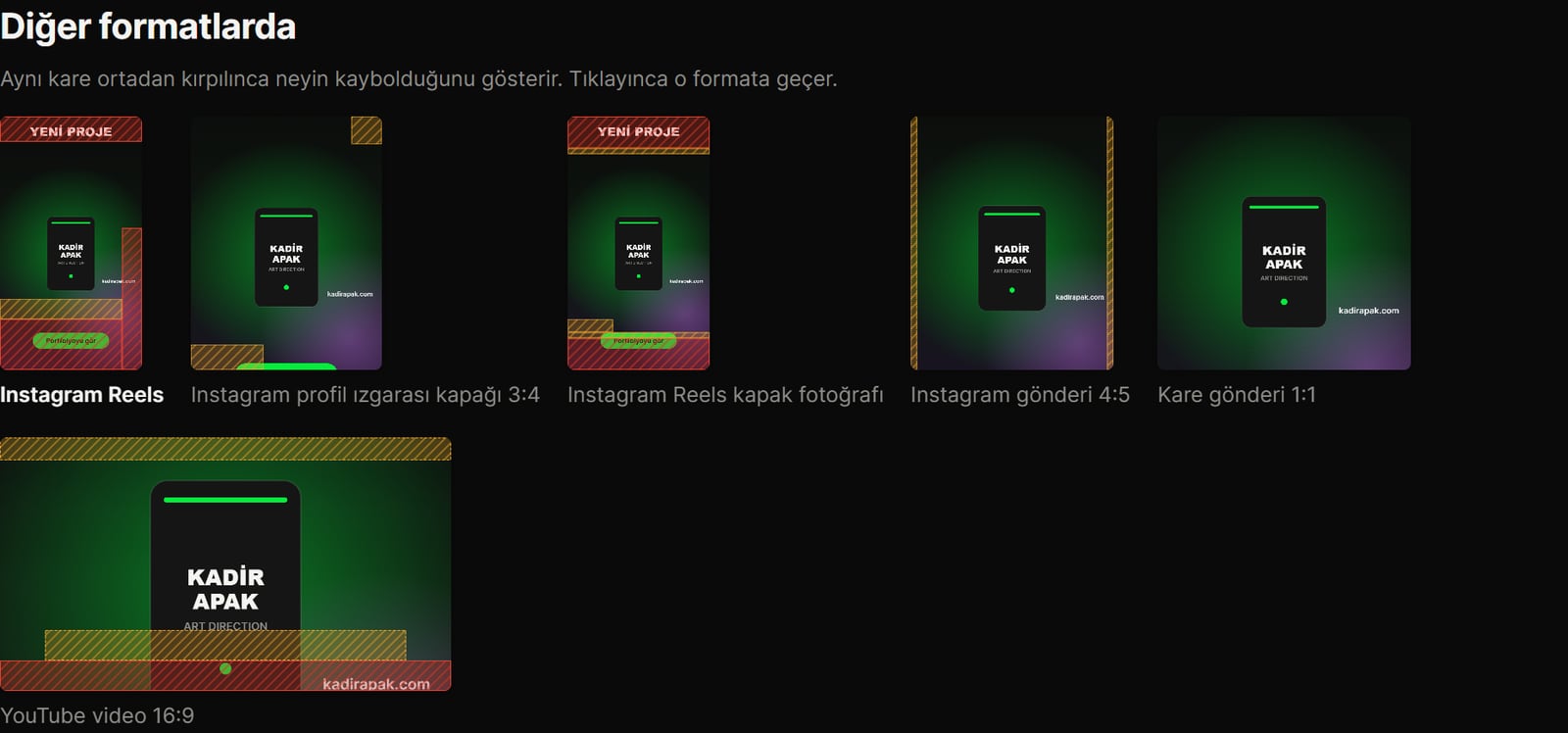
The “other formats” strip shows what gets lost when the same frame is cropped to 3:4, 4:5, 1:1 and 16:9. Download the result as a PNG, or as a transparent template to use as a guide layer in your design app.
Formats
Supported platforms and covered areas
Measurements are approximate, based on late-2026 app interfaces, and vary by device, language and caption length. Leave a little extra room for critical text and logos.
| Format | Size | Covered by the interface |
|---|---|---|
| Instagram Reels | 1080×1920 | Top 10% header; like, comment, share on the right; bottom 20% username, caption, music |
| Instagram Story | 1080×1920 | Top 13% profile and progress bar; bottom 14% message bar; link sticker |
| Reels cover photo | 1080×1920 | Profile grid shows the centre 3:4, feed 4:5; top and bottom 12.5% are hidden |
| Profile grid cover 3:4 | 1080×1440 | Carousel/pin icon top right, view count bottom left |
| TikTok | 1080×1920 | The widest right column (62% of height) and a 21% bottom info area |
| YouTube Shorts | 1080×1920 | Search and menu on top; like and comment on the right; title and subscribe at the bottom |
| Instagram post 4:5 | 1080×1350 | Cropped at the sides in the profile grid |
| Square post 1:1 | 1080×1080 | No interface; margins are enough |
| YouTube 16:9 | 1920×1080 | Player controls, subtitles, title in full screen |
| YouTube thumbnail | 1280×720 | Duration badge bottom right, progress bar at the bottom |
| TV / presentation 16:9 | 1920×1080 | Action safe 93%, title safe 90% |
You can also enter a custom size: margins and grids are used without interface zones.
Panel
Live in After Effects and Photoshop
The panel grabs the current view of your document or composition and follows changes while “Live” is on. It doesn’t redraw when nothing changes, so it won’t slow you down.
- Layer bounds are read; layers under the interface are listed by name
- In After Effects parents and transforms are included; 3D layers get a separate warning
- Scan the whole duration: shows at which seconds elements move under the interface
- If something goes wrong a “Problem details” box appears; copy the text and send it to me
Also in the web tool
Profile grid and mobile use
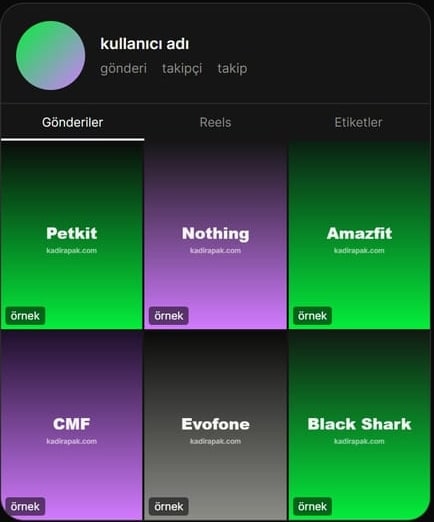
Profile grid preview
See Reels covers side by side in a three-column profile mock-up and reorder them by dragging. Add the current frame with one click.
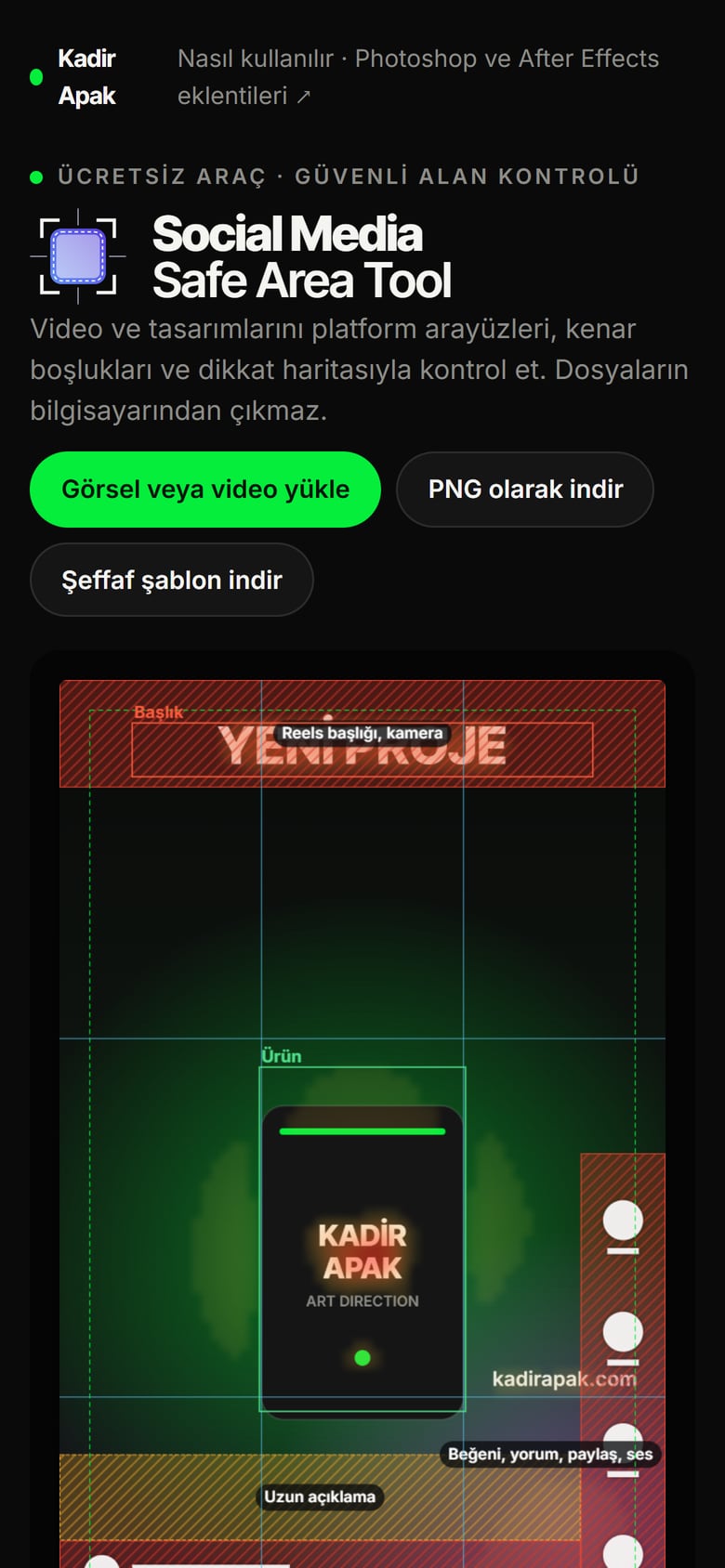
Works on your phone
The tool also runs on a phone, for a quick check on set or in a client meeting.
Installation
Installing in Photoshop and After Effects
The easiest way is aescripts’ free ZXP/UXP Installer: drag the Photoshop (.ccx) and After Effects (.zxp) files onto its window. It also works when Adobe’s own installer fails.
Install with ZXP/UXP Installer (recommended)
Same on Mac and Windows. Install it once and reuse it for other extensions.
- 1
Download ZXP/UXP Installer
From aescripts.com/learn/zxp-installer download the version for your system (Download macOS / Download Windows) and install it. Free; no aescripts account needed.
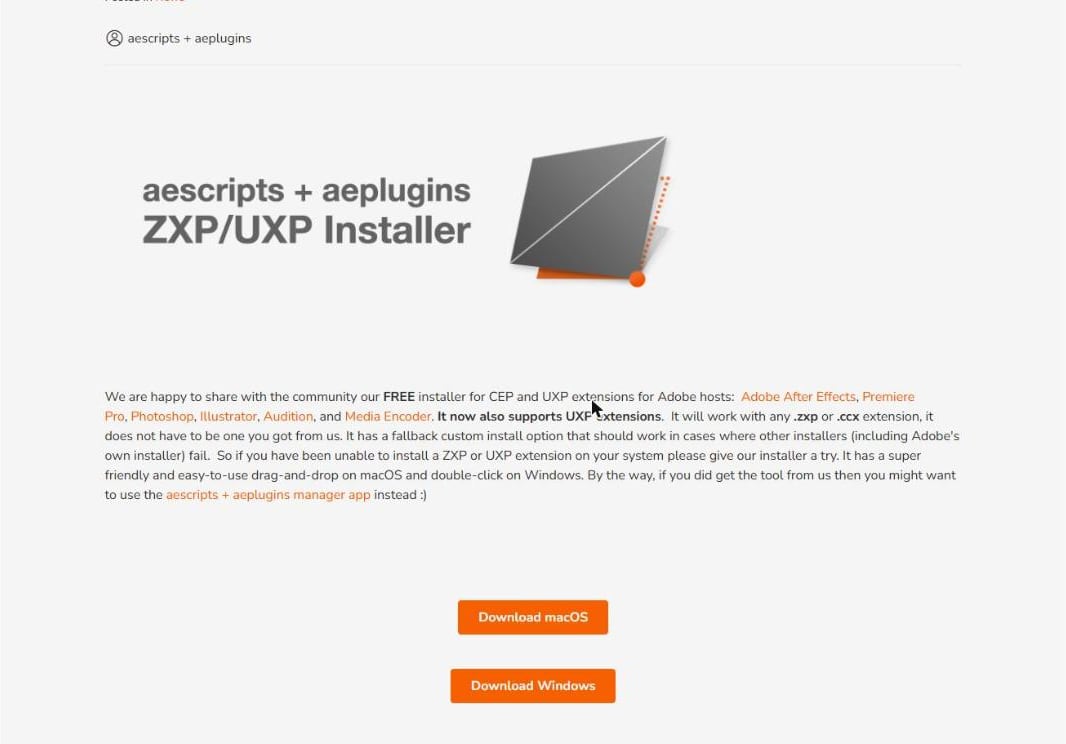
- 2
Download the plugin file
From this page download the .ccx file for Photoshop and the .zxp file for After Effects. You can install both.
- 3
Open the installer
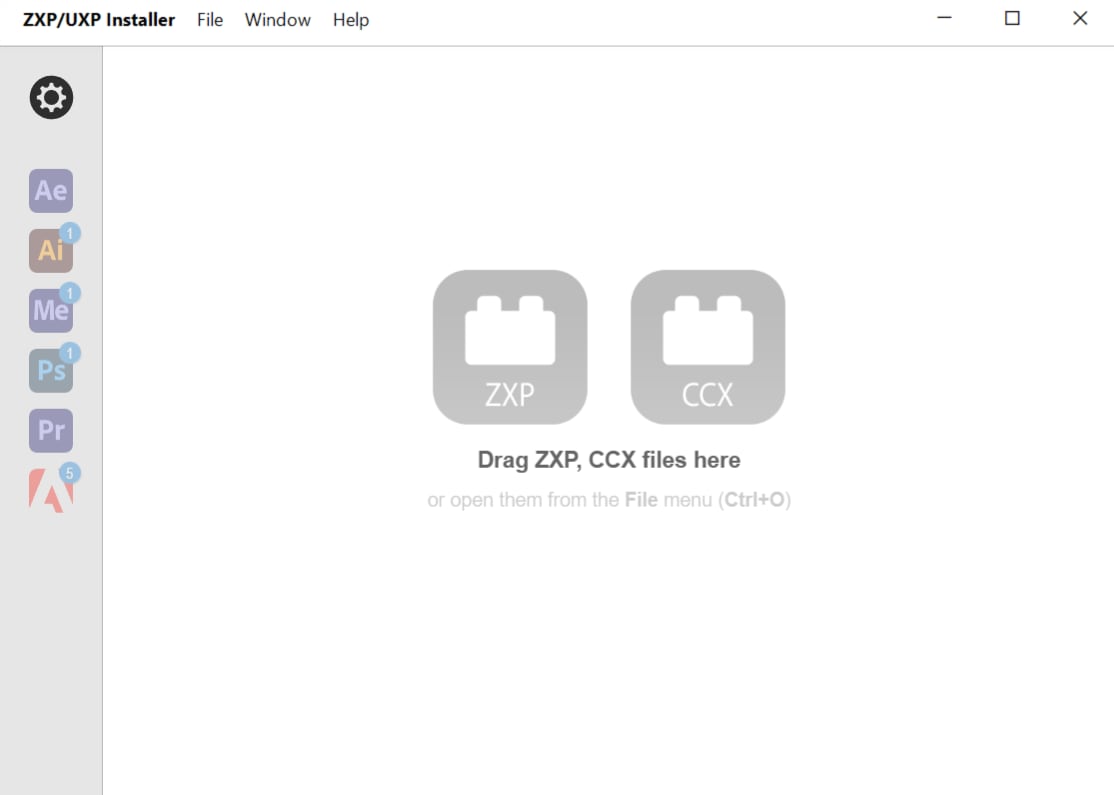
Open ZXP/UXP Installer. Your installed Adobe apps appear on the left and “Drag ZXP, CCX files here” in the middle. Close Photoshop and After Effects until installation finishes.
- 4
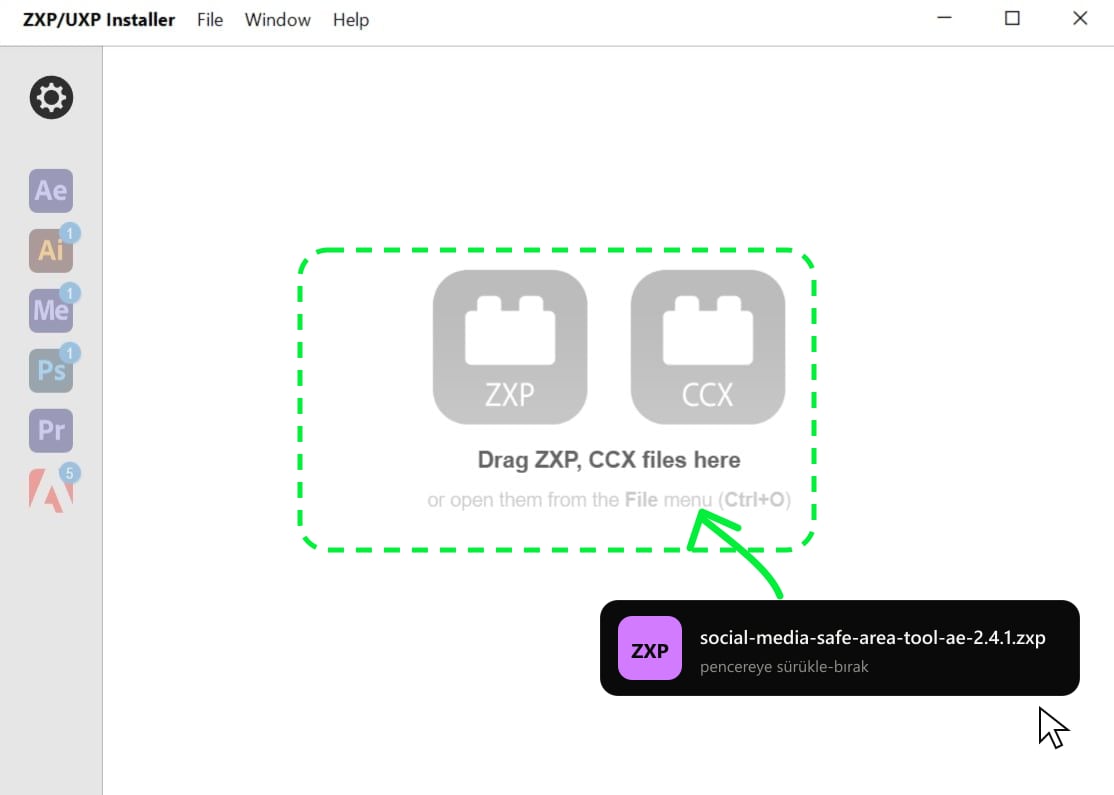
Drag the .zxp for After Effects
Drop social-media-safe-area-tool-ae-2.4.1.zxp onto the window (or File › Open, Ctrl+O). When it says “Installation complete”, open After Effects: Window › Extensions › Social Media Safe Area Tool.
- 5
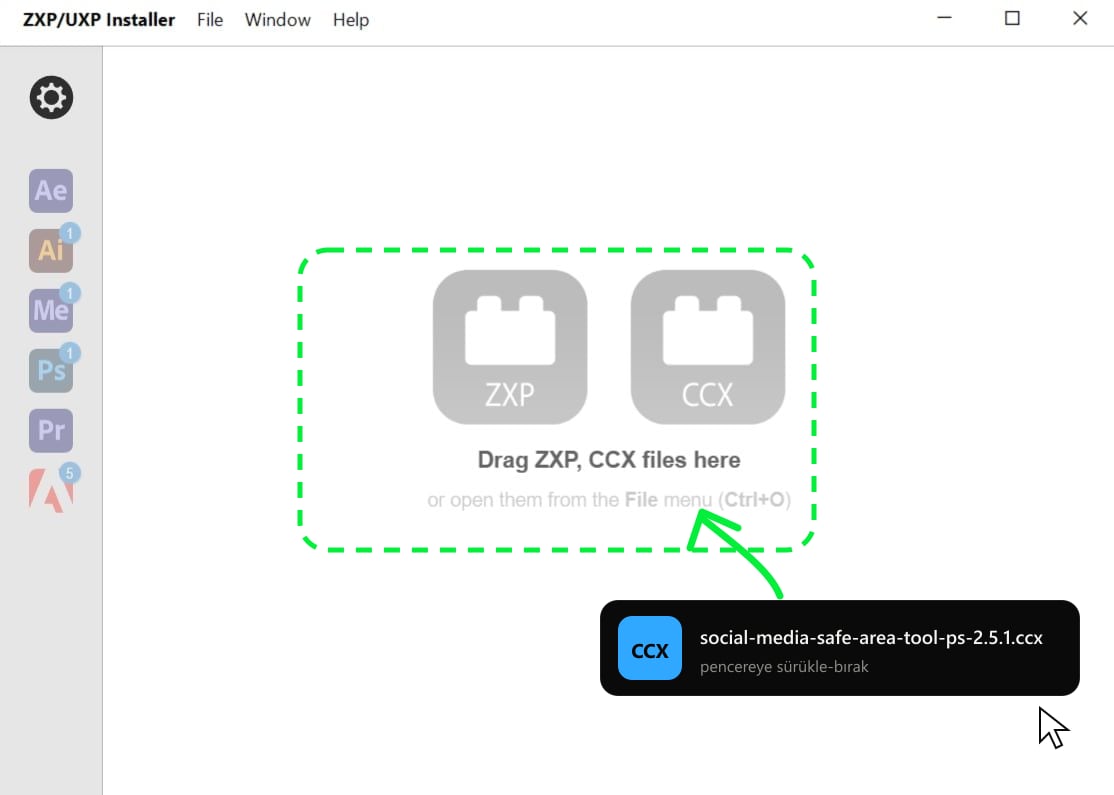
Drag the .ccx for Photoshop
Drop social-media-safe-area-tool-ps-2.5.1.ccx onto the same window. Open Photoshop: Plugins › Social Media Safe Area Tool.
Without the installer: Photoshop
- Double-click the .ccx file; Creative Cloud offers to install it, accept.
- Restart Photoshop: Plugins › Social Media Safe Area Tool.
- If double-clicking fails, install the free “UXP Developer Tools” from Creative Cloud, choose “Add Plugin”, select manifest.json and click “Load”.
Without the installer: After Effects
- Download and unzip the manual install package.
- On Windows double-click “Windows’a kur.bat” (if SmartScreen warns: More info › Run anyway). On Mac right-click “Mac’e kur.command” and choose Open.
- The script copies the panel to your user folder and enables the setting that allows unsigned extensions; no admin password needed.
- Restart After Effects: Window › Extensions › Social Media Safe Area Tool.
Important settings
No frame in After Effects
Turn on Settings (Edit › Preferences on Windows) › Scripting & Expressions › “Allow Scripts to Write Files and Access Network”. The panel reads the composition frame with this permission.
Blank panel
Because of a known Adobe issue, panels installed with an installer can appear blank on some computers. Fix: run the script in the manual install zip once (it enables PlayerDebugMode, which allows unsigned extensions), or open After Effects once as administrator.
“No compatible applications” warning
If ZXP/UXP Installer says it can’t find a compatible app, click Install anyway; if that fails, choose to install for the current user only in its settings.
FAQ
Frequently asked questions
What is a safe zone?
+
The part of a video or image that isn’t covered by the platform interface (buttons, caption, profile info). Key elements such as the headline, logo, product and CTA should stay inside it.
How big is the Reels safe zone?
+
Roughly the top 10% (header and camera icon), the right 14% (like, comment, share) and the bottom 20% (username, caption, music) are covered; a long caption can cover another 8%. Keeping a 5% margin is also a good idea.
Is it free?
+
Yes. The web tool, the Photoshop plugin and the After Effects panel are free; no sign-up or account.
Are my files uploaded to a server?
+
No. The web tool does everything in your browser, and the Photoshop and After Effects panels only run on your computer.
Does it add layers to my document?
+
No. Interface zones and guides are drawn only inside the panel; nothing is added to your Photoshop document or After Effects composition. If you want, download a transparent template from the web tool to use as a guide layer.
What is ZXP/UXP Installer and is it safe?
+
A free installer by aescripts + aeplugins that installs .zxp and .ccx extensions for After Effects, Premiere Pro, Photoshop, Illustrator, Audition and Media Encoder. It has a fallback install method that works when Adobe’s own installer fails.
Which Photoshop and After Effects versions are supported?
+
Photoshop 2023 (24.2) and later; After Effects 2021 (18.0) and later. Mac and Windows.
What happens when platforms change their interface?
+
I update the measurements and publish new versions on this page. The web tool always uses the latest measurements.
Is the heatmap eye tracking?
+
No. It is an estimate based on colour and contrast differences and the tendency to look at the centre; use it as guidance for composition decisions.
Take one look before you publish.
The web tool needs no install; try it now. If you work in Photoshop or After Effects, install the panel and keep the check open while you design.
Interface measurements are approximate and vary by device, language and caption length. Instagram, TikTok, YouTube, Photoshop and After Effects are trademarks of their respective owners; Social Media Safe Area Tool is not affiliated with them.
Last updated: